The large hall is booked for two people, the small room has been full for weeks and some booked hours do not go ahead, yet nobody releases the room. With AppjePlekje your colleagues book a room that fits the number of people, the appointment appears in Outlook and Teams straight away, and afterwards you see which room is too big and which hour is always fully booked.




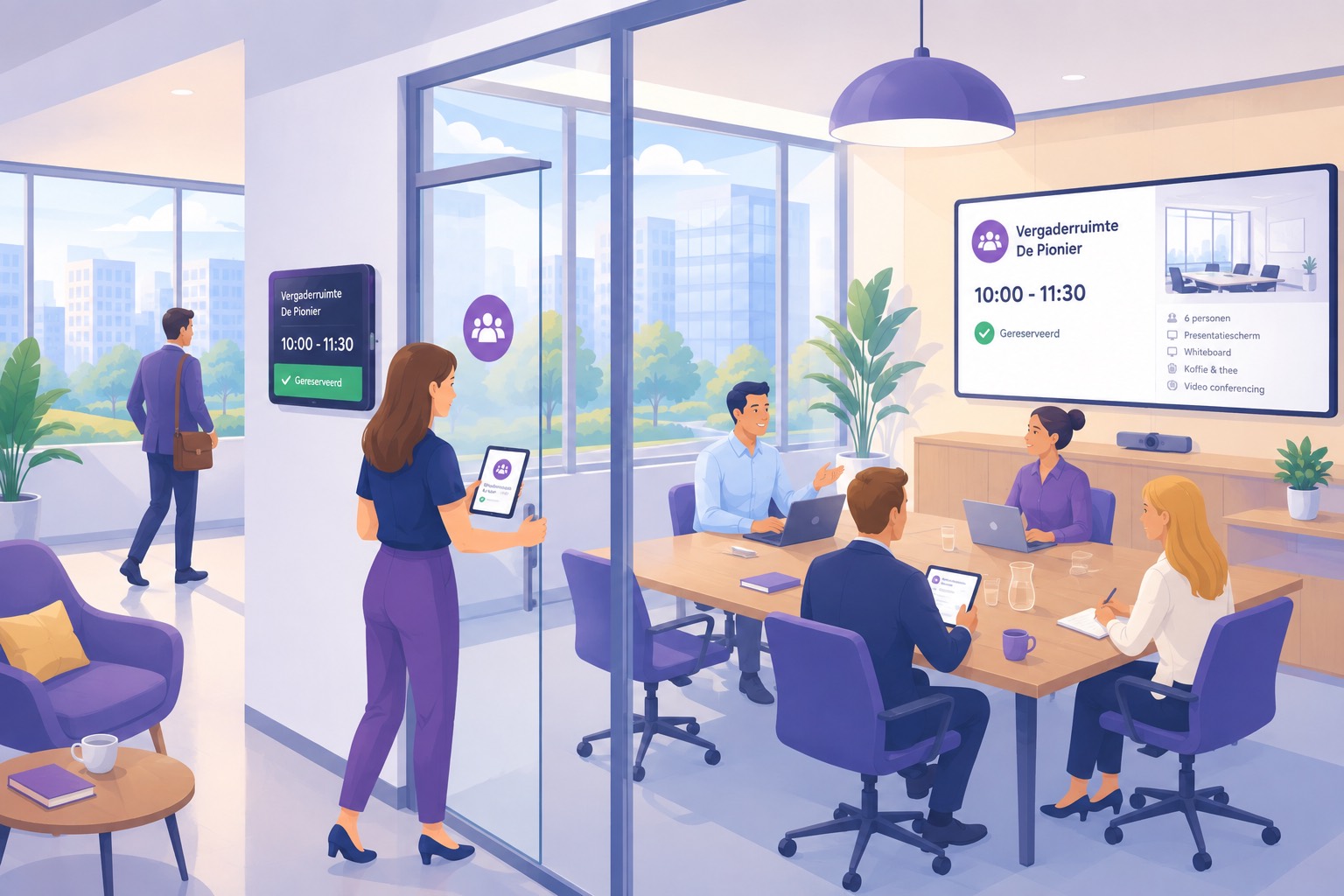
Meeting rooms are the shortage everyone feels every day and nobody can back up with figures. On paper everything is full, yet in practice you walk past rooms where two people sit at a table for twelve. Anyone who wants to do something about it gets stuck, because the calendar only shows what was booked and not what actually happened.
Whoever books first takes the room that is free, not the room that fits. So a one-to-one ends up in the hall you needed for the twelve-person team session, and that team session moves to the canteen.
A meeting that gets moved stays in the calendar, because releasing it gains the person who booked it nothing. That inflates the shortage. Colleagues see no free room at all while three stand empty, and next time they book an extra slot just to be safe.
A separate booking tool next to Outlook means a room is free in one system and booked in the other. Anyone who has experienced that once goes back to the calendar, and then your occupancy overview is by definition no longer correct.
Your colleague does not have to learn a second system. They choose when and with how many people, and the rest is a list that only shows what is possible.
Start time, how long and with how many people. The default maximum duration is three hours and you set it yourself, just like the number of days ahead people may book. You can set the latter differently for meetings than for desks.
The list only shows rooms that are free for the whole slot. Rooms that are too small drop out, and your colleague can filter on the facilities you have recorded, so anyone who needs to video call does not end up in a room without conference equipment.
If the room is connected to a calendar in Microsoft 365, the appointment appears there within seconds. If it is moved or cancelled, the change carries over both ways, whichever of the two you use.
Most organisations already have unwritten rules about the boardroom and about how far ahead you may book. You record them once and after that the app applies them to everyone in the same way.
Every room gets a name, a capacity in people and the facilities it has, such as conference equipment, a whiteboard, wifi or a quiet room. That capacity is not a label but a filter, because a booking for eight people will not be shown a room for six.
Then there are the ground rules, such as the maximum duration of a meeting, how far ahead people may book and a booking deadline. The deadline neatly skips the weekend, so for a Monday the preceding Friday already counts.
You organise rooms by floor and location. If you work from multiple buildings or countries, your colleague first chooses the location and then only sees what is there.
You decide per group who may use the meeting rooms, and within that access you set a maximum per group and per weekday. If you set a day to closed, that group cannot book on that day at all.
You can exclude individual rooms for certain groups. That way you keep the boardroom available for those who really need it, without removing it from the system and without the rest of the organisation seeing it as free.
Booking meetings is also one of the features you can switch on for everyone, limit to admins or switch off. The same three settings apply to recurring bookings and to booking for someone else, so you decide per feature how much freedom there is.
As soon as there is more demand than space, the person who books earliest and holds on longest wins. That is exactly the behaviour you do not want to reward, because it makes the shortage bigger than it is. That is why you can put limits on the allocation instead of leaving it to chance.
A shorter maximum duration and a tighter booking window take the hoarding out of it. Anyone who cannot book every Thursday afternoon three months ahead books what they actually need. You can also set a maximum per person per week and per year.
With a maximum per group per weekday you share out the busy days in advance, so one department with lots of client meetings does not use up the whole of Tuesday. Every team knows where it stands and nobody has to explain why afterwards.
A limit that always applies leaves rooms unused. That is why a group limit can lapse in the evening. A number of hours before midnight, whatever is still free becomes available to everyone coming in tomorrow. The same goes for rooms you had reserved for certain groups.
If you have not set up a floor plan, the list shows one card with the number of rooms free at that time. Your colleague then books without choosing a specific room.
Booking a regular meeting again every week is exactly the kind of work that sends people back to their own calendar. That is why a series continues automatically, and a colleague can also arrange it for someone else.
Your colleague chooses the time and repeats it every week, every two, three or four weeks, or monthly on, for example, the first Tuesday. They also indicate whether it continues or stops after a number of repeats.
Each repeat is checked against the rules you have set. If a day is closed or the room is already booked at that time, the series skips that day and continues with the next one, so there is never a double booking or a booking that should not have been allowed. You can always cancel a single meeting from the series, without losing the rest.
If you would rather not have everyone book months ahead, you limit recurring bookings to admins. It then stays possible where it is really needed, without the meeting calendar filling up.
Think of a management assistant who arranges the board meeting or a colleague who books a session for someone else. You can switch booking for someone else on for everyone, limit it to admins, or switch it off completely. Reception can always do it, regardless of that setting, and can change existing bookings if you allow it.
More important is what such a booking may contain, because that is the same for everyone. The booking is checked against the colleague it is meant for, not against the person making it. Their groups, their limits, the deadline and the availability at that time apply in full.
So nobody can give anyone preferential treatment, not even an admin. You can help someone, but you cannot book them into a room their group has no access to. That makes it safe to switch on.
This is where meeting room booking systems usually fall down. If you connect the rooms to the calendars in Microsoft 365, the connection works in both directions and happens live, so it does not matter where your colleague books.
When your colleague books in AppjePlekje, the appointment is added to that room's calendar, with the organiser included. If they move or cancel it, the calendar follows immediately. That way someone who only looks in Outlook sees exactly the same occupancy.
If someone invites the room from their own calendar or from Teams, Microsoft notifies us and the booking appears in the app. Colleagues using the app see that time as booked straight away, so no double booking arises because someone took the old route.
Removing the connection stops the sync and removes our side. The appointments in your own Microsoft 365 remain, even if you cancel your whole environment with us. We never delete anything without being asked from a calendar that is not ours.
You set up the connection per environment with your own Microsoft tenant, and it works per room. Only rooms that have a calendar attached are synced. The rest stays in the app only. The same connection can also provision users from Entra, so you do not have to create your colleagues separately.
Searching for a free room is a daily frustration. That is why the question has been turned around. Not which rooms are there, but what is possible right now.
Your colleague sets the time, the duration and the number of people, and the list only shows what is free and big enough at that moment. What is not possible does not quietly disappear. If a room is not in the list because their group has no access to it or because the day is closed, the reason is shown.
That works the other way round too. If everything is full at the chosen time, you see it at a glance instead of opening a calendar five times, and your colleague shifts the meeting by half an hour straight away.
If you have set up a floor plan, the rooms are on the drawing of the floor and your colleague selects one by pointing at it. That helps especially in a building where not everyone knows the room names yet.
For each room you record the capacity, the facilities and the connected calendar in the floor plan, plus the groups that may not use it. That is also the source for the filters and for the analytics further down.
Admins get a dashboard per location covering the last 30 days, 90 days or a year, each showing the change from the previous period of equal length. For meeting rooms, occupancy is calculated per 15 minutes within your office hours, not per half day, because a room can be booked for any part of the day.
Number of meetings, average duration, average number of participants, average occupancy, peak occupancy and available room capacity. In the chart the average is shown as a bar and the peak of the same period as a dotted line, so you see straight away whether you have a structural shortage or a few outliers.
Click on a week and you see the individual days. Alongside is the split between own bookings, bookings for a colleague and bookings for visitors.
Occupancy per weekday shows whether the pressure is on two days or spread over the week. The heatmap puts the office hours next to that, so you see exactly which hour is fully booked.
Usually that is the slot from ten to twelve, and then the question is not whether you should build an extra room but whether some of those meetings could also be at half past one. You can view that map full screen.
Two distributions show how long meetings actually last and how many people attend them. If most meetings have four people while you have rooms for twelve, that is the argument for splitting a room.
The ranking lists the rooms by occupancy, busiest first, so you see which room is never empty and which you would be better off setting up differently. The reports show numbers and patterns, not names.
Anyone planning a session also needs a desk that day, comes by car and sometimes receives visitors who need to be registered. You arrange that in the same app and, where it concerns the same day, in the same booking.
How this works for desks