On a campus or a hospital site, every meeting in another building means a fifteen-minute walk. There are shared bikes, but nobody knows whether one is free right now. With AppjePlekje your colleague books a bike for exactly the time block they need, in the type that suits their trip.




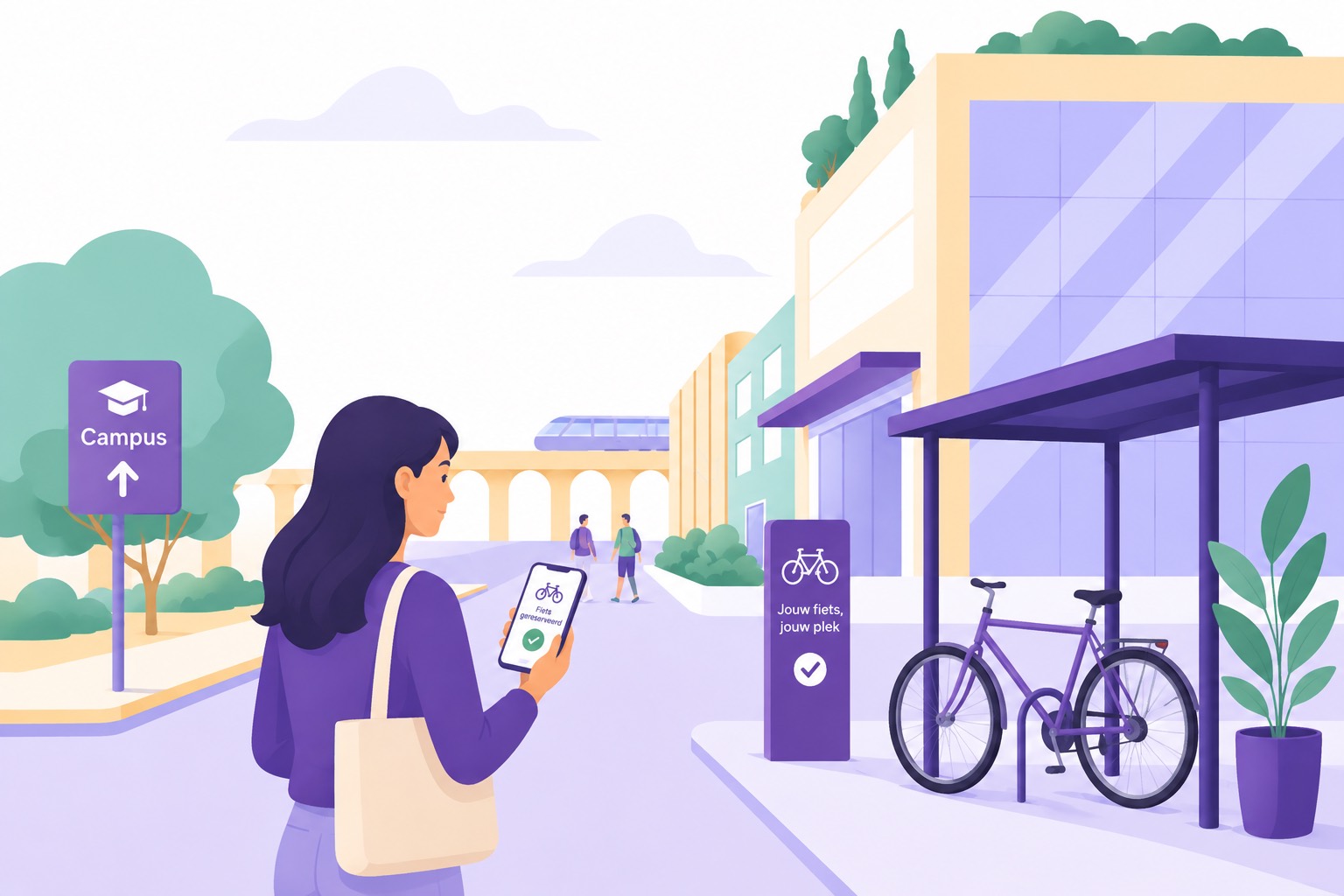
Almost every organisation with a large site has shared bikes. They were put there once to shorten the walk and then left to fend for themselves, so they are all gone at exactly the moments of the day when everyone needs them.
On a hospital site or a campus, buildings are hundreds of metres apart. Two meetings in one afternoon easily mean half an hour on the move, and that is half an hour in which nobody does anything that matters.
Without an overview every trip is a gamble. Anyone who has walked there twice for nothing stops counting on it and walks again, and then the bikes stand unused by the entrance for the rest of the week.
A bike that is gone cannot be told apart from a bike that is broken or stolen. With a cargo bike or an electric bike worth a few thousand euros that is a problem, and then the lock becomes the solution and the key the new hassle.
Three steps on the phone, on the way to the door. That is how it has to be, because this is exactly the kind of choice people make at the last moment.
Start time and how long. You set the maximum duration yourself, three hours by default, so a bike is never booked in someone's name for half a day while it leans against a wall somewhere.
A regular or electric bike, a men's, women's or unisex model, a cargo bike or a moped, with or without a helmet. Your colleague filters by that, so anyone who has to carry things does not end up on a city bike.
The booking is on their phone, with the location of the bike shed. If they finish early, they cancel the rest and the bike is immediately available for someone else again.
Setting up a bike fleet is the same work as setting up a car park, only smaller. You record what is there and who has access, and then the app applies it the same way for everyone.
How many bikes there are and of which type. Electric or regular, men's, women's or unisex, cargo bike, electric cargo bike, moped or electric moped. You add a helmet as an extra, so anyone who needs one can filter on it too.
On top of that the rules, such as the maximum duration of a ride, how far ahead people may book and a booking deadline. For bikes you usually keep that window short, because a bike booked three weeks ahead helps nobody.
If the bikes are in several places on the site, you create a separate location per bike shed. Your colleague then picks where they are first and only sees the bikes parked there.
Per group you decide who may use the bikes, and within that access you set a maximum per group and per weekday. That way you keep part of the fleet available for the department that cannot do without it, instead of everything going to whoever books first.
You can exclude individual bikes for certain groups. For example, you reserve the cargo bike for the facilities team and the moped for field staff, without removing them from the system.
Such an exclusion can lapse in the evening. A number of hours before midnight, everything that is still free becomes available to anyone riding tomorrow. Scarcity is then shared out fairly without capacity going unused.
Shared bike booking is not for everyone. For organisations with several buildings on one site and people who have to get from A to B all day, it is.
A university, a college or a hospital is in practice a small village. You set up every bike shed as its own location with its own bikes and its own rules, and your colleague always sees what is available where they are right now.
Employees with changing shifts can also book a bike in advance. Because a booking is a time block and not a day, it fits an evening shift just as well as an afternoon, and someone with a fixed roster can have their block repeat every week.
Employees, students, researchers and external contractors do not need the same rights. With groups you decide who can use which bikes, and with a maximum per group per weekday you prevent one department from claiming the whole fleet.
If you have no floor plan of the bike shed, the list shows one card with the number of bikes free at that time. Your colleague then books without picking a specific bike.
Not everyone on a site sits behind a screen all day. That is why a colleague can also arrange it for someone else, and anyone with a fixed routine only has to set something up once.
Think of a team leader who arranges the morning shift's round, or an assistant who books it for a doctor. You can turn booking for others on for everyone, limit it to admins, or turn it off completely. Reception can always do it, regardless of that setting.
The booking is checked against the colleague it is meant for, not the person who makes it. Their groups, their limits and the availability at that time apply in full, so nobody can favour anyone. You can help someone, but you cannot give them a bike their group has no access to.
If someone rides the same round every Tuesday morning, they set it up once and repeat it every week, every two, three or four weeks, or monthly. They also indicate whether it continues indefinitely or stops after a number of repeats.
Every repeat is checked against the rules you have set. If a day is closed or everything is already taken at that time, the series skips that day and continues with the next one. Cancelling a single day is always possible without the rest disappearing, and if you would rather not have everyone booking far ahead, you can restrict repeat bookings to admins.
Connecting a booking to a lock is the logical next step, and also the step that differs most per organisation. That is why we build it in consultation, on the system you already have, rather than as a button we have configured the same way for everyone in advance.
The booking knows which bike, which person and which time slot. That is exactly the set of data a lock or a tracking platform needs to decide whether someone may ride right now, so the foundation is there.
Which brand of lock you have, whether they work via Bluetooth or via a network, and whether you also want to see where a bike is. Based on that we agree what the integration looks like and what it takes to build it.
We do not track people. A tracking integration is about where a bike is, not about where an employee rides all day. We agree on that distinction in advance, because it is the first thing a works council asks about.
Even without a lock integration, the booking is the record, because you know who had a bike, when and which one. For a missing or damaged bike that is usually exactly what is needed.
Admins get a dashboard per location covering the last 30 days, 90 days or a year, always alongside the change compared with the previous period of the same length. Bikes share that overview with desks and parking spaces, so you compare them the same way.
There are six key figures, namely the number of bookings, the average per working day, the average occupancy, the peak occupancy, the available capacity and the average number of days per week per user. The chart shows the average as a bar and the peak of the same period as a dotted line.
For bikes that difference is the most interesting. A fleet that is a third in use on average but completely empty three times a week is too small, not too large.
Occupancy per weekday shows whether use is spread over the week or concentrated on two days. Click a week and you see the individual days behind it.
The heatmap puts the groups alongside, so you see which department carries the fleet and who to talk to if you want to expand. A day on which a group may not book at all stays empty instead of counting as zero.
The dashboard points out three things. Bikes that are hardly used, bikes that are only needed on the two busiest days, and bikes that are almost always booked by the same person.
The first two tell you whether your fleet is set up right, the third is the conversation about a shared bike that has in practice become someone's own bike. There is never a name next to it, because the dashboard only gets to see numbers.
Anyone who comes by car parks it on the site and then takes the bike, and anyone who comes by public transport walks from the stop. Both began with the same question. Will there be a spot for me?
How this works for parking