Your colleague registers the guest in advance, so reception knows who is coming. The guest receives an email with the address and arrival instructions. You arrange a desk, parking space or lunch for the guest in the same booking.


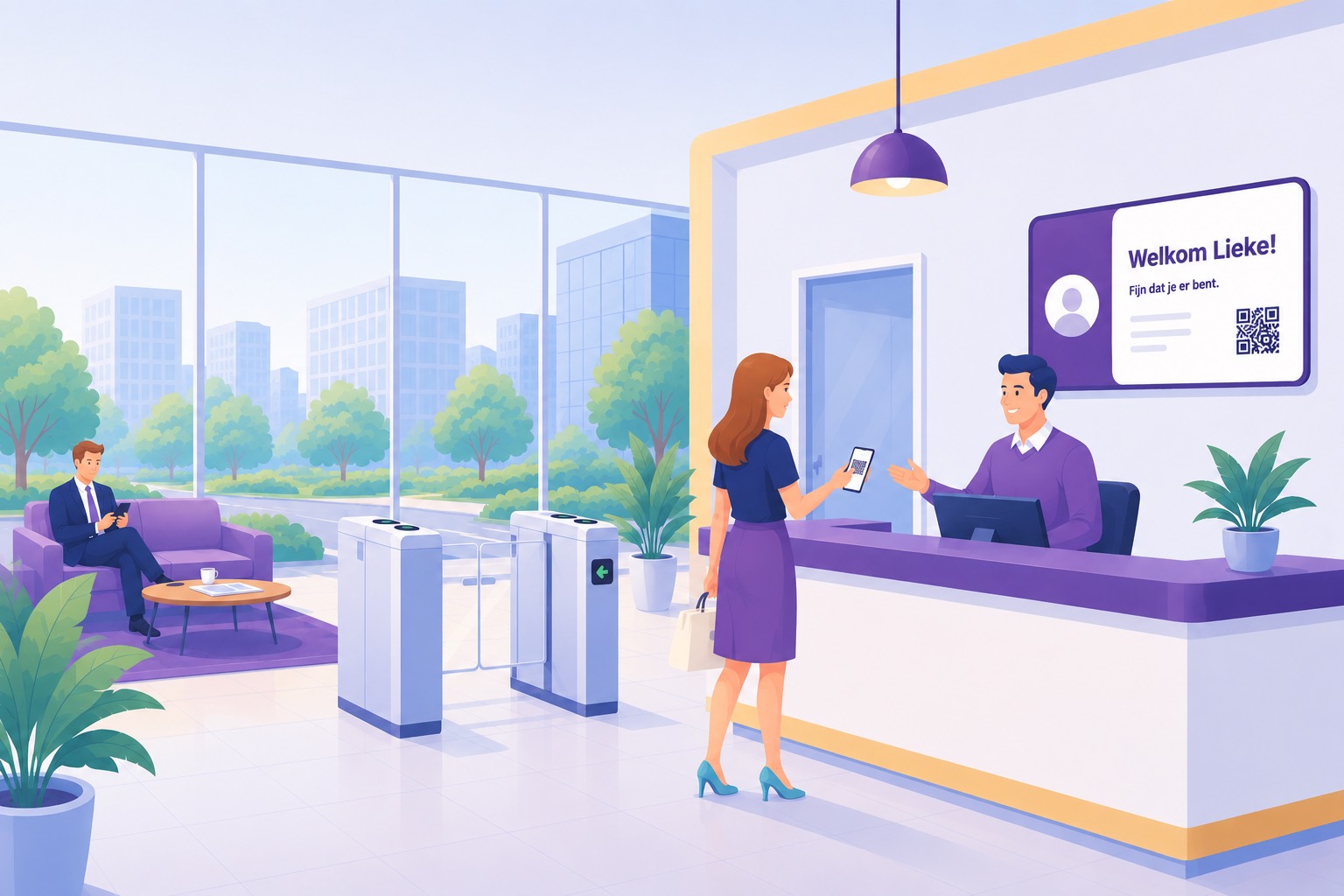
At many organisations desks and parking spaces are already organised. Visits often still go through a chat message to reception, a calendar invitation and a name on a paper list.
A guest arrives and reception still has to find the host. Meanwhile your visitor is left waiting in the lobby.
There is no parking space free, no desk is ready and the kitchen does not know someone is joining for lunch. That is three separate messages to three different colleagues.
In an evacuation you want to know who is in the building, and for an audit who has been inside over the past months. With separate lists and calendar invitations that is hard to trace.
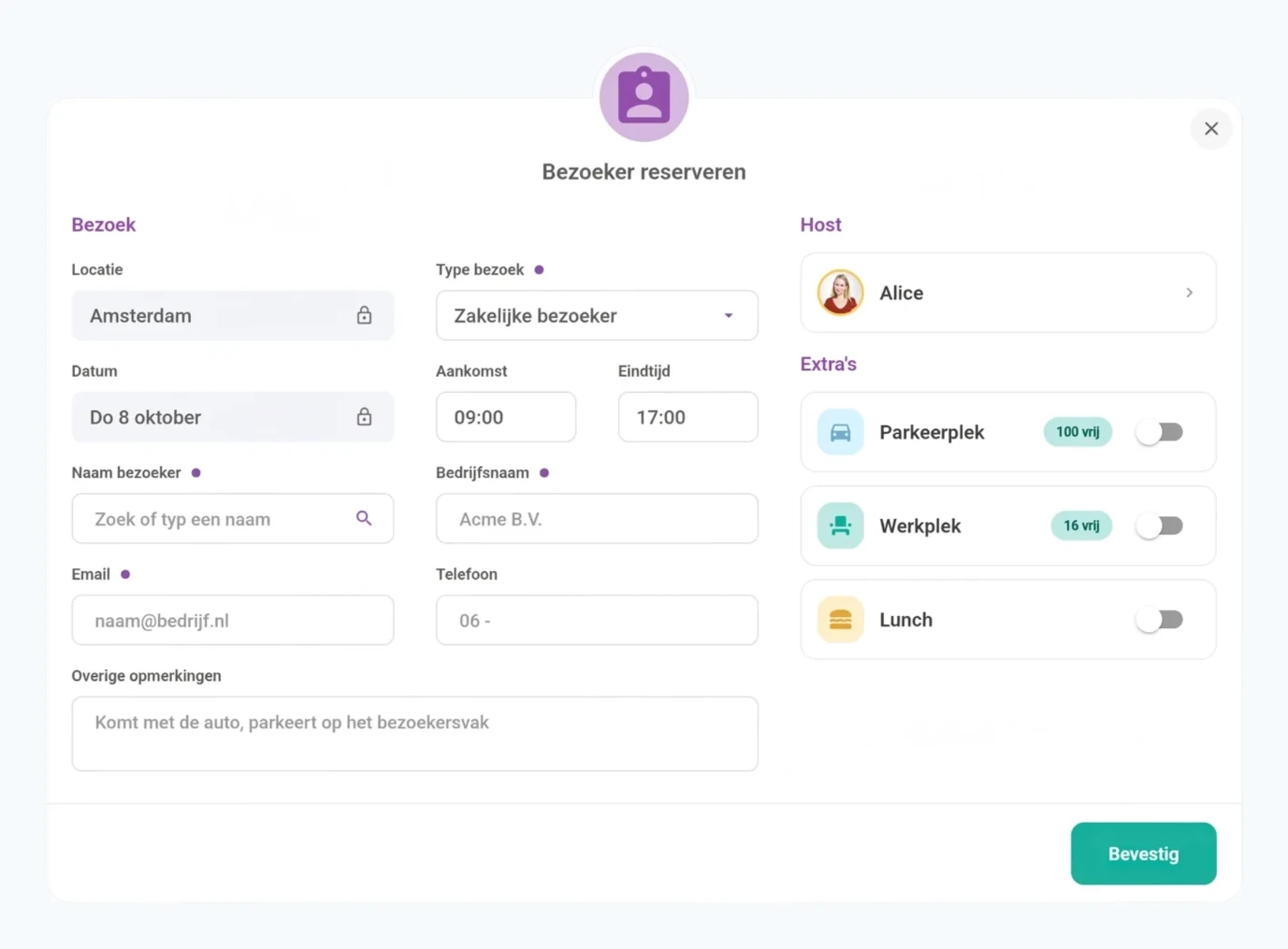
Enter the visitor and the arrival time. Visited before? Look up the name to reuse their details.
Book them along with the visit. You see how many spots are still available.
Add lunch to the visit and pass on any dietary requirements.
You record per location how visitors are welcomed at your office. After that it works the same for everyone.
For each location you write the arrival instructions for the invitation, such as where a visitor can park and which entrance they should use.
You also choose which types of visit you offer and whether lunch is available.
You decide per group who may register visitors and how many per weekday.
Per weekday you can also keep a number of desks and parking spaces free for visitors, so there is a spot when a guest comes.
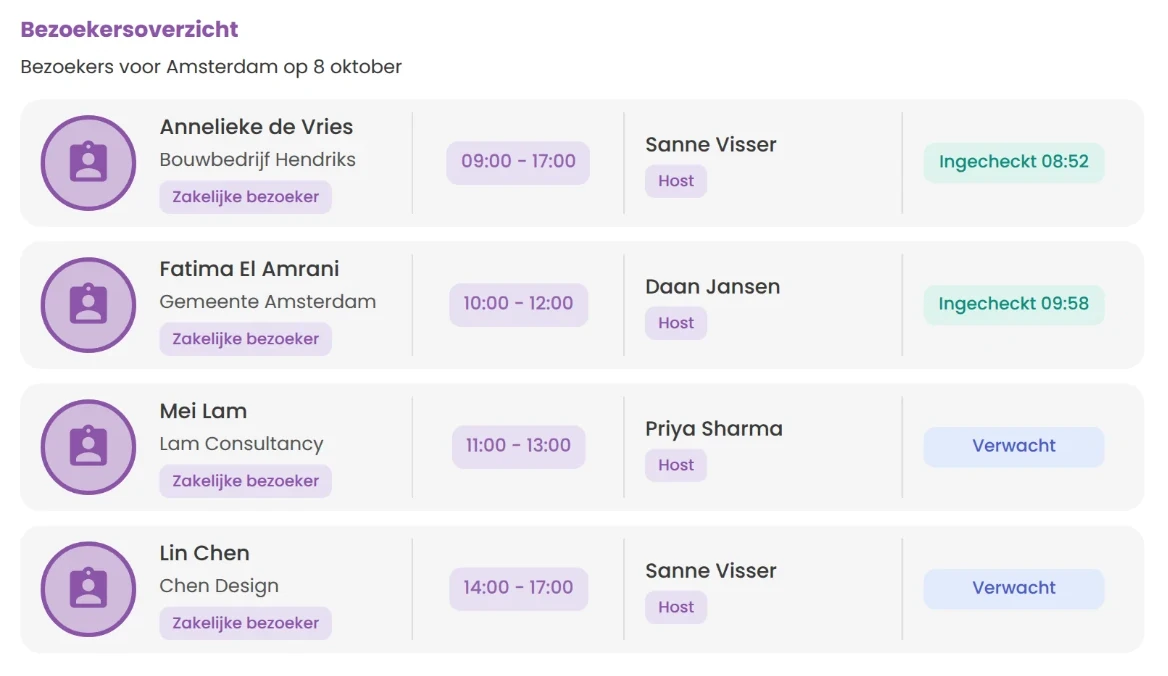
See today's visitors and what time their appointment starts. Search by name when someone arrives at the front desk. You can also export the visitor data.
You see which visitors have checked in and who is still to come. The arrival time is shown with the visit.
Each appointment shows the name of the colleague receiving the visit. Reception knows straight away who the guest is here for.
Reception checks a guest in and out with one tap. If the guest has an access code, they are checked in as soon as they open the door.
That way you know at any moment who is inside. Anyone who does not turn up automatically gets the status no-show afterwards.
If there is no staffed front desk, the guest checks themselves in on a tablet or stand at the front desk. That is what the kiosk module is for.
Reception can always register a visit on behalf of a colleague. Whether colleagues may also do that for each other is up to you.
The invitation contains the date, the time, the location and arrival instructions, in your guests' language. That way your guest knows where to park, which entrance to use and who to report to.
You can add your own text and a PDF.
The spots for the guest are booked together with the visit. If you move the visit or it is cancelled, they move with it and nothing is left behind.
If the guest is joining for lunch, the lunch and any dietary requirement appear in the export for the kitchen.
As soon as the visitor has checked in, the receiving colleague gets a notification in the app, and in Slack or Microsoft Teams if you use that integration.
 Slack
Slack Microsoft Teams
If you use Brivo, the guest gets their own code for the door. Nobody has to hand out a badge and collect it again.
The code is in the invitation email. It belongs to that one visit and only works on the day of the visit, on the doors you choose for that location.
If the visit is moved, the code moves with it and the guest receives a new email. If it is cancelled, the code expires immediately.
When the guest opens the door with their code, they show as arrived in the app. Reception does not have to do anything.
Visitor data is more sensitive than a desk booking. Not everyone needs to know that a job applicant is in the building.
For a business visit, a job applicant or a contractor, only the host, reception and admins see who is coming. Colleagues only see that a spot is taken by a visitor. For a regular guest the name is visible to everyone.
Phone number, email and licence plate never appear outside the visit itself, not on the floor plan and not in a list.
Admins see per location how many visitors came, when the front desk is busy and who keeps coming back. The reports show numbers, without visitor names.
The number of visits, how many guests actually came and how long a visit lasted on average.
A heatmap shows arrivals per weekday and per hour. You use it to plan staffing at the front desk.
Visits per type and per department, and how many guests came back. For the kitchen you see how many visits included lunch.
Visitor management also works without the rest of AppjePlekje. You pay per location, not per user. All prices are excl. VAT.
With Brivo and the kiosk added, it costs €498 per location per month.
If you want the app, the reception overview and the kiosk in your own logo and colours, the branding module costs a one-off €2.400 and then €420 per year.
If you already use AppjePlekje within your organisation for desks and parking spaces, visitor management is included in the regular subscription. Brivo and the kiosk are optional extensions.
A guest often also needs a desk and a parking space. That is why visitors are in the same app as the desks and parking spaces.
How this works for parkingYes. Without a kiosk, reception checks a guest in and out with one tap. Without Brivo, you handle building access the way you do now.
The kiosk is meant for locations without a staffed front desk, and Brivo for a separate door code per visit.
No. Your guest receives an invitation by email and does not need to install anything else. Check-in happens through reception, through the kiosk or with the door code from the email if you use Brivo.
Yes. Visitor management also works without the rest of AppjePlekje and then costs €149 per location per month, excl. VAT. If you already use AppjePlekje for desks or parking, it is included in the subscription. Everything is listed under pricing.